
Operational Resources
Introducing CMap
CMap is a comprehensive software platform designed to simplify time tracking, mange expense reports, and enhance project scheduling. Curioso primarily uses the following key features:
- Time Tracking: Easily log and manage your work hours, ensuring accurate time records.
- Expense Reports: Streamline the process of submitting and approving expense reports, making it faster and more efficient.
- **Project Scheduling: **Plan and manage projects seamlessly, ensuring teams are appropriately allocated, deadlines are met and projects stay on track.
Need help? We will have a dedicated support team available to assist you with any questions or concerns you may have during the transition. Feel free to reach out to our account rep:
Jack Maddock
Email: jack.maddock@cmap.ious
Tel: +1 407.612.6178
Submitting Timesheets
Timesheets should be updated daily and submitted weekly to provide the studio with a more precise current status for each project. For step-by-step instructions on how to submit your timesheets in CMap, please refer to this helpful document.
Getting Started
Be on the lookout for a Welcome Email with your login credentials and essential information to begin using CMap.
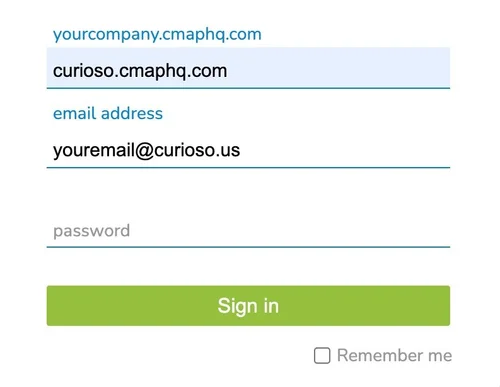
CMap Academy Tutorials
Introductory tutorials to Cmap can be found at cmapacademy.cmaphq.com.
Reimburseable
Expenses
-
All expenses must by submitted via CMap. Please submit your expenses immediately for project-related expenses to ensure timely payment. For step-by-step instructions on how to submit a reimbursable expense, please refer to this document.
Once expenses have been approved, they will be processed and paid out in the following payroll period.
Only itemized receipts are reimbursable; credit card transaction receipts cannot be submitted as a receipt.
-
Flights and Accommodation should be booked through Mario on the Curioso credit card whenever possible. When requesting travel booking via email (mario@curioso.us), please provide the Project Name, Travel Dates, and Reason for the Trip. All other travel-related expenses (such as meals) must be submitted via CMAP.
Trip Cancellations & Changes
If your booked travel gets canceled or the itinerary changes, please make sure you contact Mario with the change in travel plans. He can help ensure the canceled ticket is refunded or rebooked. We cannot simply purchase a new ticket and expense both the canceled and new tickets back to the client. We must treat their resources as our own and be responsible. -
Unless there are specific requirements for a particular project shared, the following rules are to be followed. Please check HERE for any project specific expense procedures.
Hotels - The client might suggest a hotel or help us with a reservation. If not, a reasonable hotel stay is $350/night or under. Minibar purchases are not approved reimbursable expenses.
Meals - Osos are expected to use sound judgment in submitting expenses for meals. One or two drinks with a meal is acceptable; more than two drinks may not be reimbursed.
Some Projects have a per diem or restrictions on alcohol in our contract. In those cases, we will let the team know before any travel. If there is not a per diem, a typical budget guideline for meals (per person, pre-tax and tip) is:
Breakfast < $25
Lunch $20 - $35
Dinner $50 - $75
-
Platform Selection:
US Employees: Use Lyft as the primary option (lower rates), Uber only when Lyft is unavailable
Mexico Employees: Use Uber in Mexico, Lyft when traveling to the US
Authorized Use: Company rideshare accounts may only be used for work-related travel, including:
Transportation to and from airports when traveling for projects or business cultivation
Travel to client sites and project locations
Transportation to industry events and conferences
Other business-related travel as approved by management
Usage Guidelines: All employees are expected to exercise sound judgment when using the company's rideshare program
Service Level: Select base and mid-level rides instead of luxury options. Choose the most cost-effective option available while still meeting business needs
Ride Sharing while Ridesharing: When two or more team members are traveling together, please share rides when possible, even if multiple stops are required
Compliance: All rides are subject to expense reporting and review procedures.
-
Download the Lyft app by following this download link
Link to Curioso's business account by following these steps:
Open the app and sign in (or create an account)
Go to your profile menu → "Business Profile"
Select "Add Business Profile"
Enter your @curioso.com email address
Follow the verification prompts
Verification: Once connected, you should see "Curioso" as your business profile option when in the Lyft app, booking a ride. Always select the business profile for work-related trips